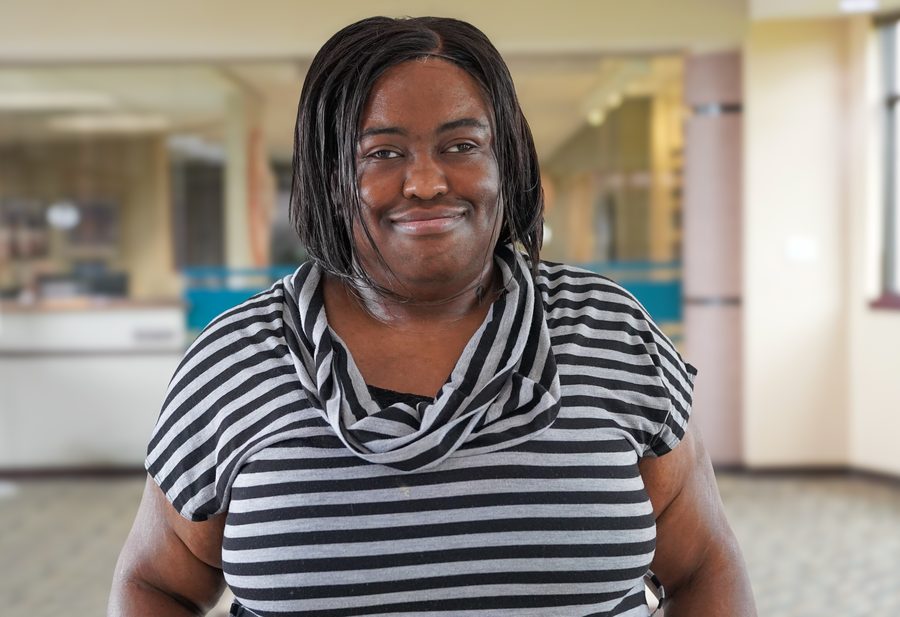
Accessibility Specialist & Web Developer · Shawnee, KS

Allison Clark

I do accessibility work: remediation, consulting, and front-end dev built the right way.

I'm an accessibility specialist and front-end developer with low vision. I don't just test with assistive technology. I actually use it every day. That makes the work different than just checking boxes.

I got into accessibility because the web kept getting harder to use as my vision got worse. At some point I figured I'd rather fix it than just deal with it.

Everything in my portfolio was built accessible from the start. I've used WCAG, ARIA, and real screen reader testing on every project, not as an add-on at the end.

I work in both hand-coded and AI-assisted workflows and know how to get good results from either.

I'm job hunting right now. I'm most interested in accessibility remediation, consulting, or any engineering role where accessibility is the actual focus.

My Favorite Brunette: Accessibility Remediation

A multi-page film fan site I originally built as a college final project. I came back to it after learning accessibility properly and fixed every issue I found, bringing it up to WCAG 2.1 AA. Both versions are still live so you can see exactly what changed and why.

  • Added skip navigation links and wired id="main-content" targets on every page, enabling keyboard and screen reader users to bypass repeated headers (WCAG 2.4.1).
  • Fixed missing alt text on the logo image and added aria-label to the logo anchor; added aria-label="Main navigation" to every <nav> and aria-current="page" to active nav links (WCAG 1.1.1, 2.4.4).
  • Replaced non-semantic <div>/<span> patterns in the film vitals and cast list with proper <dl>/<dt>/<dd> elements so screen readers expose the term and value relationships correctly (WCAG 1.3.1).
  • Fixed <blockquote> citation markup to use the correct <footer>/<cite> nesting pattern; added aria-labelledby to all <section> elements tied to their heading IDs; marked decorative dividers aria-hidden="true" (WCAG 1.3.1, 4.1.2).
HTML Bootstrap 5 ARIA WCAG AA Audit

Stone, Scroll, Blade

A medieval-themed Rock Paper Scissors game I built to be fully accessible. It's an actual playable game, but it's also meant to show what accessible front-end development looks like in practice. WCAG 2.1 AA, semantic HTML, ARIA, keyboard navigation, screen reader tested.

  • Full keyboard navigation, aria-live="assertive" for real-time game feedback, and focus management throughout, all at WCAG 2.1 AA.
  • Tested with WAVE and axe DevTools for automated checks, then NVDA and JAWS in the real world.
  • Built a parchment-and-dark-stone color system where every text/background pair hits 4.5:1 or better. Victory, defeat, and standoff states use color, border, and text together so color is never the only thing telling you what happened.
HTML CSS JavaScript Tailwind CSS WCAG AA
View Live Demo of Stone, Scroll, Blade (opens in new tab)
Languages & Frameworks
HTML5, CSS3, JavaScript, Tailwind CSS, Bootstrap
Accessibility Standards
WCAG 2.1 AA/AAA, WCAG 2.2, WAI-ARIA, Section 508
Accessibility Tools
WAVE, axe DevTools, Lighthouse
Assistive Technology
JAWS, NVDA, VoiceOver, Meta Skyler Smart Glasses (daily personal user)
AI & Dev Tools
GitHub Copilot, OpenAI Codex, Claude Code, Google Gemini, VS Code, Git, GitHub, Terminal, Browser DevTools
Technical Support
Browser/web app troubleshooting, assistive technology troubleshooting, Windows OS & software installation
Other
Microsoft Office Suite, Google Workspace, Content Management Systems

Johnson County Community College

Graduated May 2019

  • AAS in Web Development & Digital Media
  • AAS in Business Administration
  • AA in Liberal Arts

Alphapointe

Graduated June 2025

  • Completed career development program focused on adaptive technology and professional independence.

Certifications

  • CPACC (IAAP) (In Progress)
  • WAS (IAAP) (Planned)
  • DHS Trusted Tester (Planned)

I'm looking for accessibility work and happy to talk. Drop me a message.

Required fields